My Bengal Cat Thelonious aka Theo

DSCF0354

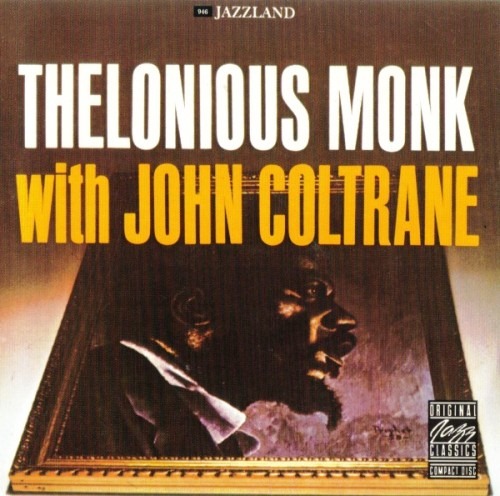
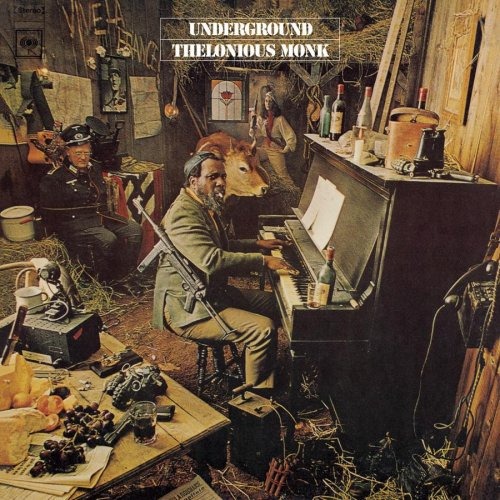
This is my buddy Thelonious Monk, aka Theo helping Suzy with the Jazz Library work. Theo is a Bengal cat, a relatively new hybrid breed of cat, formed by the cross of a domestic feline and an Asian Leopard. He is a big cat with great looking rosettes on his back. He can be pretty vociferous, often calling out to us to feed him… again. All of our pets are indoor animals. The Eagles in our Lake Sammamish part of Seattle eat outdoor cats and that’s no good.

Posted in Bengal, Cat, Jazz, My World, Pets, Wildlife | 2 Comments

RIP Herman Leonard ~ Iconic Jazz Photographer

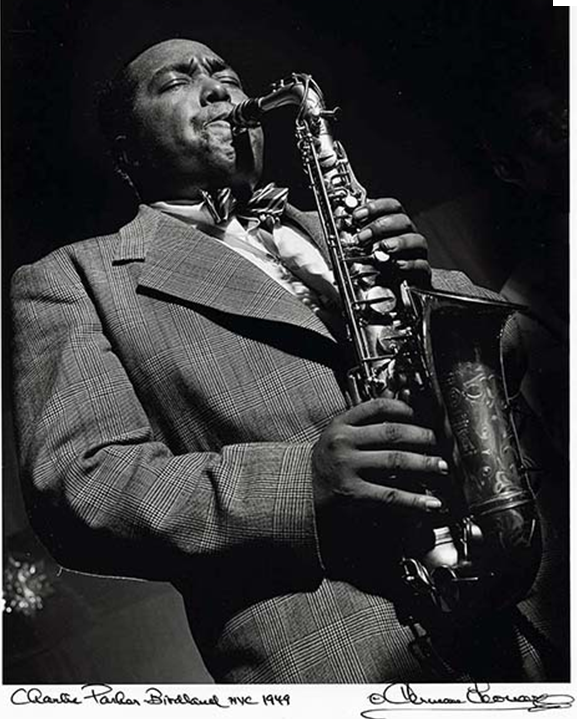
imageNew York Times: Herman Leonard, an internationally renowned photographer whose haunting, noirish images of postwar jazz life became widely known only in the late 1980s, died on Saturday in Los Angeles. He was 87. <snip>

Mr. Leonard never set out to document the birth of bebop, though he wound up doing just that. He was simply a young jazz lover whose camera gave him entree into the many New York clubs — the Royal Roost, Birdland, Bop City — whose cover charges he could not afford.

Read more…

A friend of mine said of Leonard’s passing:

“I grew up with his photos of my childhood idols. Herman seemed to be able to photograph the musician’s sound as well as their appearance.”

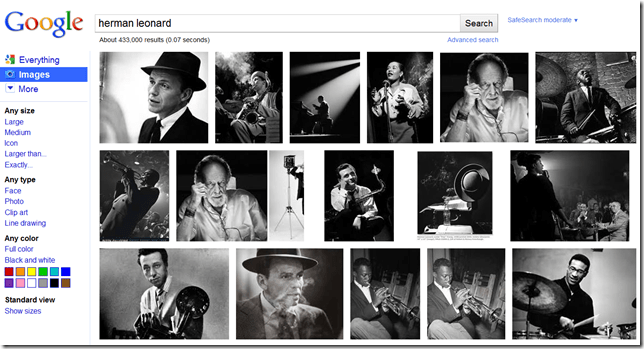
I think my friend captured this event well. If you look at a collection of Leonard’s photos, you will most likely find a whole bunch that make you go, “Oh, *he* took those pictures!” In a rather big way, he helped capture the Jazz movement.

image

Posted in In the news..., Jazz, Photograph | Leave a comment

Droid 3G Incredible ~ A 2010 Review

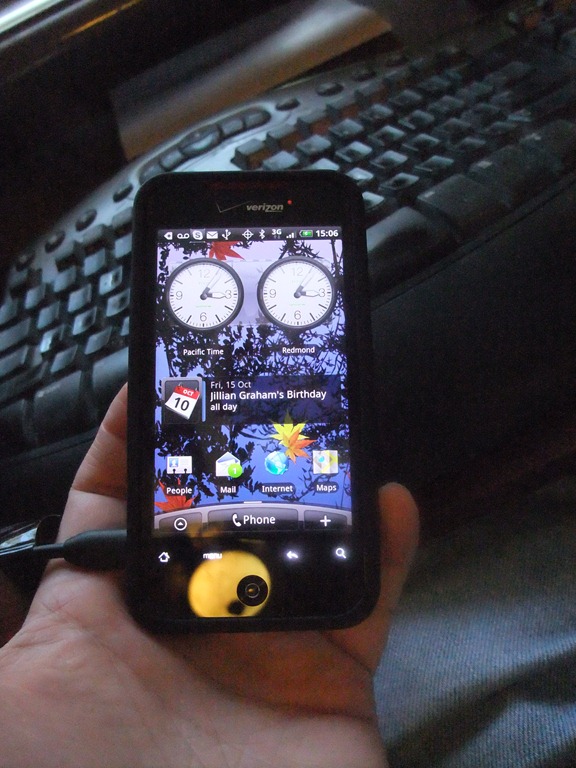
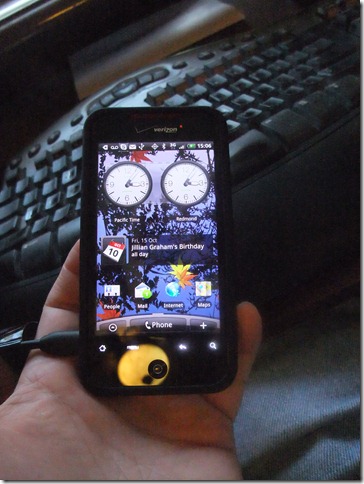
DSCF1142A long time user of the Windows Mobile products, I finally moved to the Droid platform. I was very excited about trying the WinMo7 but my provider, Verizon will not be offering this phone anytime soon. And as I’ve taken years to get all my family and friends on Verizon, I’m not anxious to move to another service provider. So here are my first impressions on day two of owning this new phone. Note that I was going to wait for the 4G, but that’s at least six months away for my provider and more likely even longer.

Purchase

Kinda pricy even with the Verizon discount for being eligible for an upgrade. I ended up having problem with my Bluetooth device from my WinMo 6.5 phone, so I bought a new earpiece that was smaller and a better selection for listening to music. I am paying so much for the phone service with my four family members that they threw in a free car charger, but that didn’t make me feel much better. The staff was very knowledgeable but overtasked as there were a number of people in the Verizon store this weekend. As a big part of my job is about always being hooked into the community, the features this phone offered made it a slam dunk over my one year old WinMo 6.5 phone.

Setup

None of my data could be transferred from my WinMo 6.5 phone. I’m not sure what that was about but I have all the data backed up on other computers so I get to figure out how to do it manually. I was required to have a Gmail account, but I have accounts on many, many free providers services because I like to compare and contrast the experience for the different services. I don’t have a lot of data in that account so I linked my phone contacts to my Hotmail account and immediately picked up all of those entries. Then I connect them to Facebook and now I have all the contact pictures, if the Facebook user provided them.

Next I hooked up the phone to my computer and used V Cast (an app you install) to load the obligatory family and pet pictures, some song lists, and one video to test the performance. The unit has a 2 gB hard drive and a 6 gB flashcard so I have plenty of space for the kind of things I normally do with a phone.

The Experience

So as I type this blog post, I’m listening to my songs through the headset. A call comes in and I’m connected to the call and the music fades. I can listen to my music from my hard drive or if I have plenty of power, from an Internet source like Pandora. How cool is that? If you look at the picture of my Droid (luv that name btw) you can see I selected a custom wallpaper and business motif that allows me to have a clock based on where I am on this blue marble and one for my home base, in this case they are one and the same. I haven’t figured out how to hook up my calendar yet. I’d like to have my Hotmail calendar, with all my family and band dates as the primary and be able to switch over to the work calendar as necessary. I really don’t want to have to go to the Microsoft OWA (online web access) account to get those appointments. I’ll be playing with that in the near future.

I use the same holster from my WinMo phone and I didn’t chose the pop-out keyboard because once the data is in I rarely use the keyboard so the on screen one works better. But having texted, written email, and added a phone contact manually, I can tell you I like the feel of that keyboard. I’m not as fast as I am on my computer, but I’m close enough.

The Reviews

I haven’t read all the reviews yet, but I did check this one out before I bought. And of course I’ve been playing with Suzy’s 3G Droid ever since she bought it earlier this year.

Droid Incredible Review sez:

By Joshua Topolsky posted Apr 19th 2010 12:28AM

“Let’s just put this out there: the Droid Incredible is the best Android device that you can purchase in America right now. It’s better than the Droid, better than the Nexus One, and certainly beats the pants off of any previous generation handsets like the Eris, myTouch, or Cliq. It’s not just a very, very good Android phone (though it is); it’s also an excellent smartphone no matter how you cut it. If you’re on Verizon right now, you’re finally getting really great options for phones, but the Incredible is currently sitting at the top of that heap with a good bit of distance to the next in line.

Sure, there are still issues like a lack of quality titles in the Android Market, and if a hardware keyboard is a must, this won’t do the job for you. Also, while Sense is truly great on this phone, there may be users who prefer a more streamlined, stripped down experience. Still, if you’re looking for an ultra-fast, extremely capable smartphone that has the guts and gleam to go the distance, the Incredible just might be the Droid you’re looking for. Yes, we made that joke.”

Posted in Cell phone, Droid, Facebook, Google, Hotmail, Mobile, review, Technology | 1 Comment

Thelonious

“I played the wrong, wrong notes” ~ Thelonious Monk

Thelonious  Thelonious2

Posted in Jazz, Piano, Thelonious | Leave a comment

Fall may be melancholy to some…

Fall, aka Autumn, I like that season as much as any. With the longer nights, cooler weather, and return of the big shows on TV, one can get easily distracted. Here is a song that distracted me… three times.  Smile

Just humming along now…

See, I’m not always about jazz, just most of the time. Have a good night peeps.

Posted in Health and wellness, Jazz, Video | Leave a comment

Yeah, a paid gig!

So Alan pings me yesterday and sez, “Hey Jim, we need an alto sax sub this Saturday. We’ll pay you to do this gig.” Sweet. Here were my questions:

1. Is this a two hour (two one hour sets) gig? (I don’t do longer gigs any more. I just don’t enjoy them.)

2. What time does it start and finish? (I try to get home before mid-night now a days.)

3. Dress is black on black with a white tie. (Have, have, and have.)

4. Practice is two hours. (Don’t want any death marches.)

5. No doubles this time, just the alto sax. (Less to carry and worry about.)

image

I like playing with other Big Bands because it gives me ideas for the Microsoft Jazz Band which I manage and play in. I also can find potential subs for when my people are not available for a gig. One time, when this group wasn’t practicing for a gig, I was able to bring a chart for them to try. I brought Gerry Mulligan’s “The Red Door” and they enjoyed it so much they played it twice.

From their site: The Moonlight Swing Orchestra consists of an eclectic group of musicians-instrumentalists and vocalists-many with professional experience, and the rest, talented amateurs, who all share the same love of performing this nostalgic music from the Big Bands of the 30’s and 40’s. Hear the great sounds of Dorsey, Ellington, Miller, and Shaw, among others. We also admit to throwing in the occasional popular number from more recent eras.

Posted in Band, Jazz, Music | Leave a comment

Eppelsheim’s Unique Sax Crook

Crook

Posted in Eppelsheim, Music, Saxophone | Leave a comment

Windows Live Essentials 2011 ~ Test Run

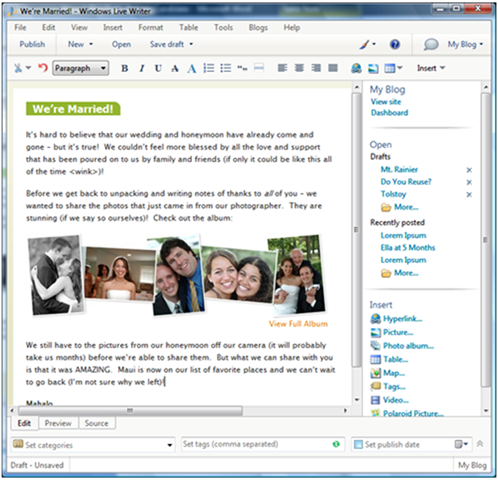
I’ve been a long time user of Windows Live Writer, suggesting it to family and friends and using it on a number of blog properties. So I saved my test of the new blog authoring environment for last Friday and thought that some of you would be interested in my experience. I’m using Windows 7 (Vista is supposed to be an okay environment too) which is the starting point for the test run. If you are on XP, you simply stick with the old version.

The Install

The install was easy from http://explore.live.com/windows-live-essentials?os=other. I made sure that once the download was completed, I closed my Internet Explorer, IM and actually all other programs on my computer. The download took some time, even with my FiOS high speed connection, so I went to get a drink while that was happening. Then the install offered to install everything (recommended) or select what you want installed. So I selected the program I felt I would use. Once the install kicked off, I took some time to practice my sax, checking the progress every so often. I want to say no part of this required more than ten minutes, but in this world, that is a long time. The install completed with a request to reboot the computer.

The New Look and Feel

It took a little bit of time to find the drop down for selecting which of my blogs I wanted to post this on. I can blog on WordPress, eBlogger, and a proprietary service at work using the same editor. But where did the list of my blogs go? Turns out it’s not in the menu anymore; it’s in the Ribbon, right next to the Publish button. And the Ribbon makes it easier for me to style my fonts, create hyperlinks, check the spelling and add pictures and videos because that’s all exposed on the ribbon and automatically as I type.

The add-on tools that I carefully selected over time are no longer on the right side frame, which is gone; they are in the insert menu. This is fine with me as it gives me more real estate for working on the blog text, videos, and pictures. The bottom of the page has been redesigned to provide quick-tabs to the Edit, Preview, and Source modes. So the categories for my posts are now under the ribbon as is the Set Post Date option.

Overall Rating

I am really happy with the quality and fit and finish of this release. So far I give it 5 out of 5 star rating. I’ll report on some of the other apps as I get time to play with them. My next two things to try are listed below.

Mesh

I look forward to playing with this new app, but I haven’t started yet. I sounds like it could make home networks with three or four computers, fast becoming the norm for many families, much easier.

image

Live Movie Maker

I have used the Windows Live Movie Maker all the time to prepare movies for posting to YouTube and Facebook. I like to edit out some of the fumbling around that inevitably occur during the starting of a session. I like to add music to the background of a video and picture show. Live Movie Maker does that and more. Here is a sample that I did in 2009:

Amber Moves to Missouri

So I look forward to trying this new version of Live Movie Maker out after I record some friends playing a gig this evening.

Posted in Blog, Blogosphere, Computers and Internet, Microsoft, Television | Leave a comment

Halloween ~ Sex Sells in 2010

Last weekend I, my granddaughter, Suzy, and friends were shopping at the PartyTime store and looking at the costumes for this year. I was amazed at the number, maybe a hundred, very-short dressed adult women costumes.

I guess I shouldn’t have been, but there you are, and there we were looking at some very skimpy and sexy holiday costumes. I guess most people are okay with it. I’m okay with it as long as my six-year old granddaughter doesn’t decide she wants to wear the sexy witch outfit. Now if I could get Suzy to wear it, in the confines our our house, well that’s another topic all together.

sexyWitch      leeloo_5th_element_costume_0     palinwave

The LeeLo costume was nice for an adult party, although getting there could be a bit chilly. I really like the movie the 5th Element with Bruce Willis. I’d give the science fiction movie a B rating. I would imagine however there might be some embarrassing conversations at a party were this was worn.

— I’d like to get a little something in the sack.
— Just get on your hands and knees and bob your head.
— She’s got a couple of nice pumpkins on her porch.
— If you just lick it, it’ll last longer.
— Have someone check the goodies before they go into your mouth.

So what are the new costumes for this year? Last year brought us Obama, Harry Potter, and Michael Jackson by the boatloads. I read somewhere there is a BP Spill Costume this year. Ewww… I’m guess there will be plenty of Sarah Palin wannabes again this year. Make sure you get the wave right.  ;O)

ScarletWitch       sexy      Leopard

Here’s hoping you have a great Halloween with some fun people. I’ll close this post with one of my favorite Halloween jokes. What did the skeleton say to the bartender? “I’ll have two beers… and a mop.” Okay, for those of you groaning out there, come up with some better ones… or not. Trick or treat.

Posted in Holiday, Too Spicy for some | 1 Comment

My Move from Windows Live Spaces to WordPress ~ the goods and the bads

Yesterday I got the message that now was the time to move from Windows Live Spaces to WordPress. If you are wondering why, here are some reports from the media:

In the News:

“Microsoft has since shifted its strategy, providing tools and services that mesh better with competitors’ programs. For example, people can use the Windows Live Photo Gallery program to publish pictures to Yahoo Inc.’s Flickr site, or connect feeds from social networks Facebook and LinkedIn with Messenger accounts and Windows Live profile pages.

In a blog post, Microsoft said giving its customers access to WordPress.com was a better move than continuing to invest in its own service. That may be because Windows Live Spaces gets a fraction of the traffic its competitors do, at least in the U.S.” ~ Huffington Post

After talking to some people from my friends list on Facebook, I thought I’d document my experience.

So it Begins:

I chose to backup my old Windows Live Spaces data to my hard drive. The dialog started saying the process was going and it showed an activity bar. But at one third of the way complete, the activity bar never changed, even though I went down stairs to eat dinner during the process. So I checked my hard drive and the backup was right where I put it. So I killed the window. Mind you, I have a very fast IP service using FiOS, so this could take a lot longer for those on slower access points.

So I selected move my blog to WordPress and got a screen that said the process was started and that my near 3000 topics, and 1000s of pictures would be moved over to the new site. I got lost every once in a while throughout the process and kept going back to the WordPress FAQ and documentation to figure what was wrong. This is NOT a process for the weak at heart types. And I can’t even imagine my Mom doing it without my help. (Yes, I get to move hers this weekend on a slower line. I am not looking forward to that.)

Note, I just found out I might have been able to make use of the WordPress.tv for how-to videos. I haven’t played with that yet.

image

Since I was already a WordPress member, there were some eccentricities to parse, but eventually I was given a new password to match my 25 alpha-numeric User Name. I was told that I could not change this user name and it was one that I would never be able to memorize. But somewhere in the process of customizing my avatar I was routed to Gravatar which allowed me to change my User Name to one that I could use when signing in on WordPress.I was also allowed to close the IE8 window and doing other things. I was to get an email when the process was completed. Well in less than an hour, IIRC, my site was moved and I went to log into WordPress.

image My site was set to default template which allowed me to add back in my header art from the Spaces world. It isn’t quite as good as it was on Spaces, but supposedly I could hack the CSS and customize more. I’m not inclined to do that.

Here are some questions my friends have asked me:

1. Do I get to keep my Windows Live email account? YES

2. Do we get to keep our site name? YES, you get a new URL but the site name is totally up to you.

3. Is there a problem if I don’t use IE8? Not that I know of.

4. Where is this FAQ and Documentation you speak of? Start here: http://en.blog.wordpress.com/2010/09/27/welcome-windows-live-spaces-bloggers/

Windows Live Writer

So after another two hours of playing with the site layout and customizing the look and feel of my new blog property, I’m somewhat optimistic that this move will be a good thing. There are some data size limitations that are discussed here: http://en.support.wordpress.com/space-upgrade/. So now I want to do my first post, using Windows Live Writer. I found the generic editor to be somewhat limiting and missing much of the features I’ve come to luv with the free Windows Live Writer.

The first thing I did was download an updated copy of the program just in case there were changes made because of the move to WordPress. Then used the TOOLS menu item –> ACCOUNTS to remove the old blog that was on the Windows Live property. Then I went to BLOGS –> ADD ACCOUNT to add the new WordPress location in. And here you see the result of that process. Posting was a breeze and I’m guessing at least twice as fast as with the old site. I came back into Live Writer and added this, corrected some spellings and added the bold headings, hit PUBLISH again and very quickly my post was updated.

Posted in Blogosphere, Microsoft, Technology, WordPress | 3 Comments